
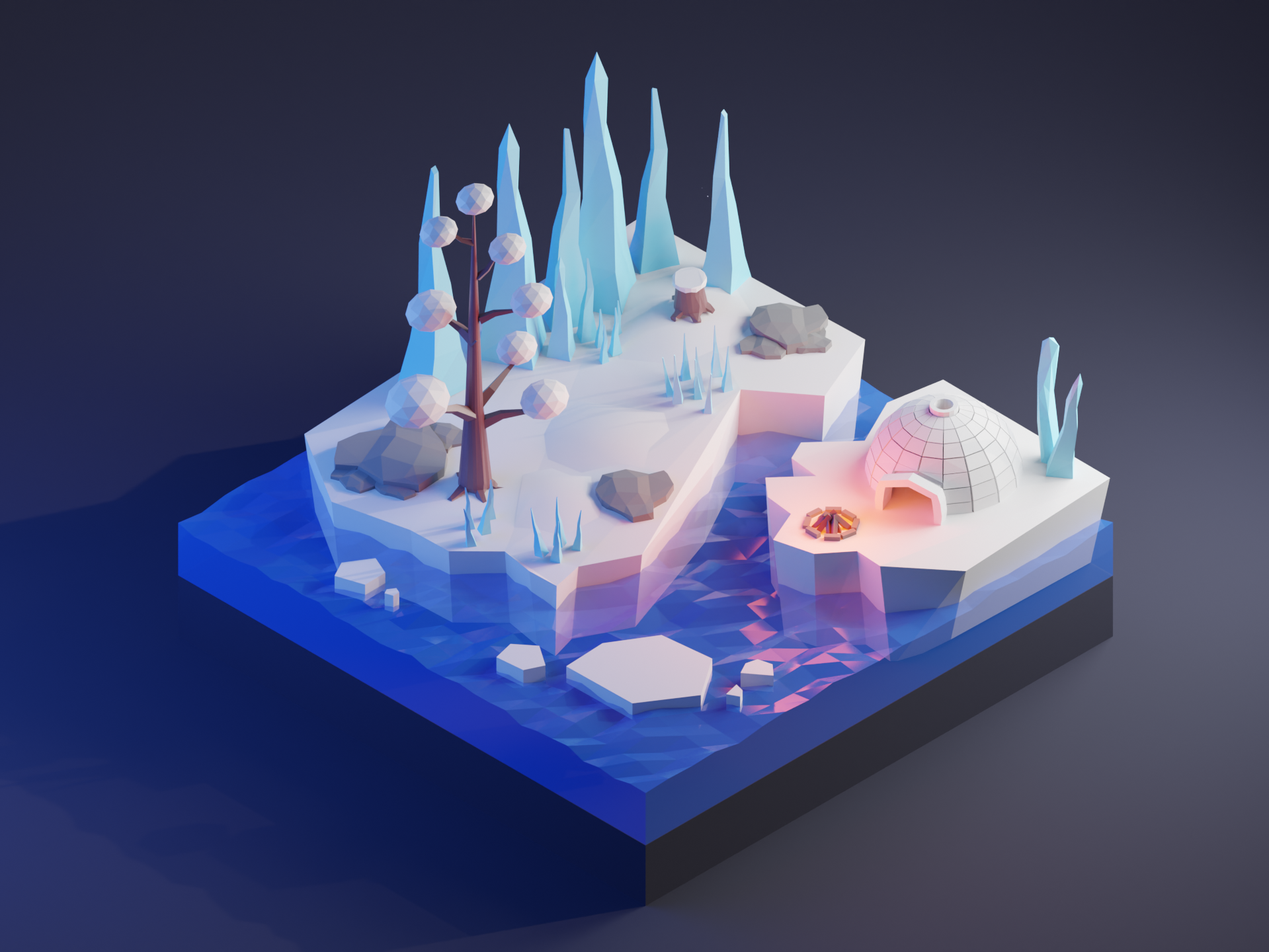
Here’s a short workflow timelapse creating this low-poly arctic environment. Feel free to download the original Blender file.
About This Project
This low-poly arctic scene features:
- Ice formations: Jagged ice crystals and frozen waterfalls
- Snowy terrain: Smooth snowdrifts with vertex color variation
- Frozen lake: Simple shader for icy surface
- Props: Ice caves, frozen trees, snowmen
- Lighting: Cool blue tones with aurora borealis effect
Modeling Workflow
Phase 1: Terrain (20 minutes)
- Create a subdivided plane for the ground
- Use displacement modifier for ice formations
- Apply vertex colors for snow/ice variation
Phase 2: Ice Structures & Props (40 minutes)
- Model ice crystals from elongated cones
- Create frozen waterfall using displaced planes
- Add props: ice caves, frozen trees, snowmen
Phase 3: Materials & Lighting (30 minutes)
- Apply vertex colors for material variation
- Set up cool directional light for arctic feel
- Add volumetric fog for atmosphere
- Configure camera angle and depth of field
Download the Blender File
📥 Download arctic_environment.blend (9 MB)
The file includes:
- All models with proper naming conventions
- Materials and lighting setup
- Camera animation keyframes
- Render settings optimized for Cycles
Tips for Low-Poly Arctic Scenes
Ice Shader Simplification
For game engines, use a simple shader instead of full refraction:
// Unity Shader Graph approach
Transparent BSDF + Glossy BSDF (low roughness) + Fresnel
Optimization Targets
| Element | Target Polygons |
|---|---|
| Ice crystal | 20-40 tris |
| Snowdrift | 64-256 segments |
| Frozen tree | 50-100 tris |
| Lake plane | 32-64 segments |
Related Resources
- Best Blender to Unity Export Settings – Optimize your workflow
- Low-Poly Forest Environment – Similar tutorial with free blend file
- Easy Water Shader in Blender 4.0 – Create water and ice effects
Enjoy creating with this free blend file! Share your own arctic designs on social media and tag us. ❄️✨