
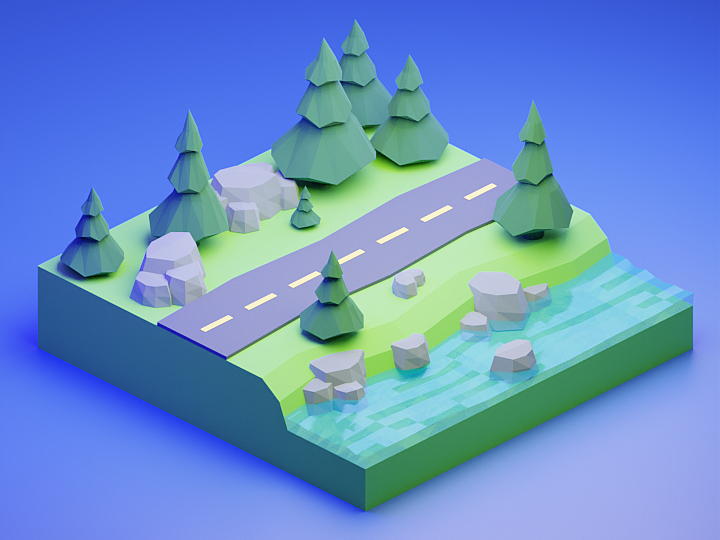
Here’s a short workflow timelapse creating this low-poly forest environment. Feel free to download the original Blender file.
About This Project
This low-poly forest environment was created as a stylized scene featuring:
- Trees: Various species with simplified geometry
- Rocks & Boulders: Natural-looking formations
- Ground Plane: Textured terrain with grass patches
- Fog & Atmosphere: Depth and mood through volumetrics
- Lighting: Warm sunset lighting with soft shadows
Workflow Overview
Phase 1: Base Geometry (30 minutes)
- Create a ground plane with subtle displacement
- Model basic tree trunks using cylinders with subdivision
- Add foliage clusters using low-poly cones and spheres
- Place rocks using scaled icosahedrons with random rotation
Phase 2: Detail Pass (45 minutes)
- Add individual leaves to tree canopies
- Create grass patches around the forest floor
- Model fallen logs and branches
- Add small details: mushrooms, flowers, pebbles
Phase 3: Materials & Lighting (30 minutes)
- Apply simple vertex colors for variation
- Set up Cycles lighting with sun and fill lights
- Add volumetric fog for atmosphere
- Configure camera angle and depth of field
Download the Blender File
📥 Download forest_environment.blend (15 MB)
The file includes:
- All models with proper naming conventions
- Materials and lighting setup
- Camera animation keyframes
- Render settings optimized for Cycles
Tips for Creating Your Own Low-Poly Environments
Keep Polygon Counts Low
| Object Type | Target Polygons |
|---|---|
| Tree (full) | 200-500 tris |
| Rock | 50-150 tris |
| Grass patch | 20-40 tris |
| Ground plane | 64-256 segments |
Use Vertex Colors for Variation
Instead of complex textures, use vertex painting to add color variation:
- Enter Vertex Paint mode
- Paint different colors on similar objects
- Use a ColorRamp in the shader to map colors to materials
Optimize for Game Engines
When exporting to Unity or Unreal:
- Apply all modifiers before export
- Merge vertices to remove duplicates (M → By Distance)
- Remove double faces and hidden geometry
- Keep UV islands minimal (1-2 per object type)
Related Resources
- Best Blender to Unity Export Settings – Optimize your workflow
- Low-Poly Beach Environment – Similar tutorial
- Best Blender YouTube Channels – Learn from the best educators
Enjoy creating with this free blend file! Share your own low-poly environments on social media and tag us. 🌲✨